
Bulk downloads
without the chaos.
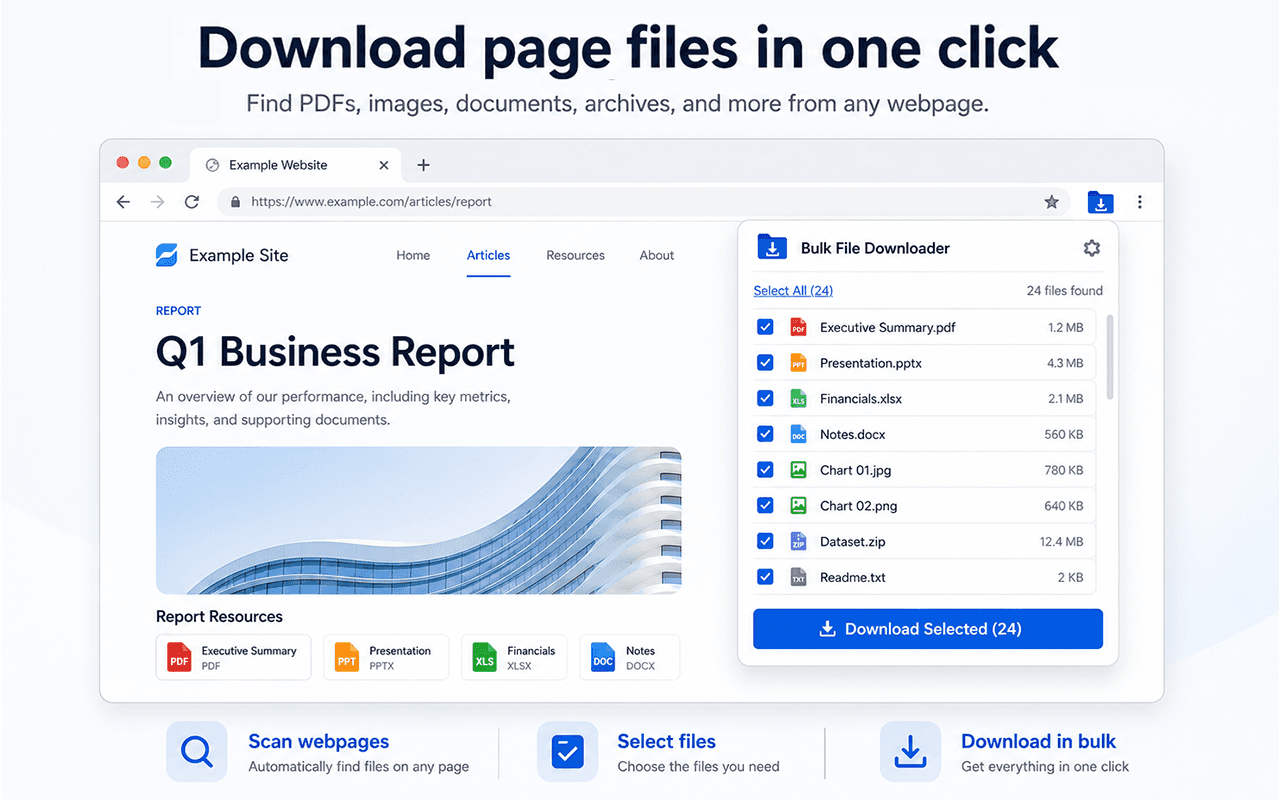
- Scan any webpage for downloadable files instantly
- Filter by file type (PDFs, ZIPs, Images)
- Queue and download everything in one click
- Best for
- Portals, listings, course files
- Features
- ZIP, filters, and queue downloads
- Format
- Lightweight Chrome Extension
Everything you need for reliable downloads
Stop fighting with broken downloads and messy folders. The extension helps you find, review, and download exactly the files you need.
Scan pages or whole windows
Find downloadable files on the current page, or scan all open tabs in the window when a workflow is spread across multiple pages.
Review before you start
Preview filenames, sources, and file types before you queue anything, so large batches feel controlled instead of risky.
Run a real download queue
Stage downloads with concurrency controls, delays, pause/resume, and session memory for already-downloaded files.
Everything in one place
No more hunting through messy folders. Keep your bulk downloads organized, tracked, and easily accessible directly from your browser.
Best for
- Document portals and course materials
- Research pages with multiple PDF links
- Asset libraries and image galleries
- Downloading batches as a single ZIP
Not ideal for
- Sites that hide files behind complex logins or captchas
- Streaming video or protected media
- Deeply nested folder structures
Loved by professionals
Thousands of users rely on the extension to speed up their daily workflow.
"Saved me literally 3 hours of right-clicking today. Absolute lifesaver for my university courses. Wish I found this earlier."
"Perfect for grabbing invoices from our supplier portals. Clean, no-nonsense tool that actually does what it claims."
"I use this to download dozens of PDFs every week for research. The ZIP bundling feature is incredible."
Guides & Resources
How to download all files from a webpage
Learn the manual methods and automated tools to download all files from a webpage at once.
How to download multiple files in Chrome
Review direct file links and save selected files individually or in one ZIP.
Bulk PDF Downloader
Use the PDF-specific workflow for reports, invoices, statements, course packs, and research docs.
Download files from a URL list
Learn how to batch download multiple files by directly importing a list of URLs.
Frequently asked questions
- Does it work on sites where I am signed in?
- It can detect direct file links that a signed-in page presents to your authorized account. Login requirements and site permissions remain in place.
- Can I download everything as one ZIP file?
- Yes. You can choose to download files individually through your browser's download manager, or bundle them into a single ZIP file for cleaner organization.
- Will it download streaming videos?
- No. Bulk File Downloader is designed for static files like PDFs, documents, ZIPs, and images. It does not capture streaming video or audio.
- Is there a limit to how many files I can download?
- The free version allows you to download batches of up to 15 files at a time. For larger batches without restrictions, you can upgrade to the PRO version. Keep in mind that your browser and computer memory may still struggle with extremely large batches (e.g., thousands of large files at once).
Stop clicking links one by one.
Add the extension to Chrome in 2 seconds and download your first batch today.

Add to Chrome
Join thousands of professionals who save hours every week by automating their download workflows. No account required to start.
Add to Chrome