Bulk PDF Downloader for Chrome.
Download all PDFs in one batch.
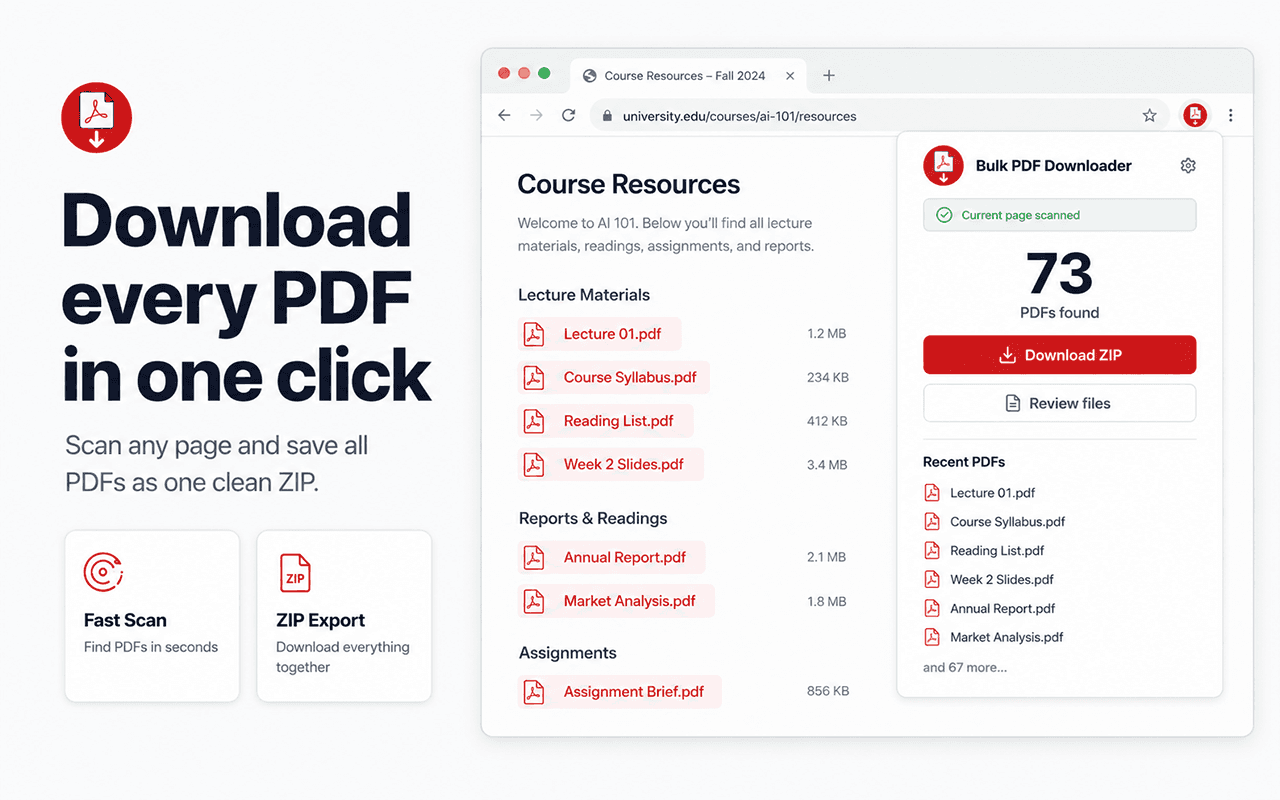
Use a focused PDF downloader Chrome extension to find direct PDF links on a webpage or across open tabs, review the documents, clean up filenames, and save the files you need.
- Find direct PDF links on the current webpage
- Filter out duplicate or tiny PDFs
- Review and export selected PDFs as one ZIP
- Best for
- Courses, research, reports, portals
- Primary action
- Batch download as one ZIP
- Checks
- Titles, filenames, and file sizes
A PDF downloader Chrome extension for professional document runs
The PDF workflow is about readable document titles, trustworthy batches, and getting a whole library offline without browser chaos. It is designed for researchers, students, and professionals.
One-click ZIP export
Keep your Downloads folder organized by saving selected PDFs in one ZIP through a single user-initiated export.
Review the right documents first
Scan titles, filenames, sizes, and source pages before you download, so research packs and course modules stay under control.
Scan whole tab sets
Collect PDFs from the current page or all open tabs when lectures, reports, or document libraries are spread across multiple pages.
Clean up messy filenames
Use naming rules and visible document titles to turn portal-style URLs into PDFs that are readable after they leave the browser.
How to download multiple PDFs from a website
Bulk PDF Downloader scans webpages for direct PDF links that are already available to you. Authentication, permissions, DRM, paywalls, captchas, and protected document viewers remain in place. Only download documents you are authorized to access.
1. Scan
Open the extension on your target page. It finds direct `.pdf` links and can identify other links that report PDF content.
2. Filter & Rename
Deselect files you don't need. Let the extension rename files based on link text.
3. Export
Save the PDFs you selected in one ZIP through a single user-initiated export.
Why use a dedicated bulk PDF downloader?
General mass-download tools often mix documents with images, scripts, archives, and tracking files. Bulk PDF Downloader keeps the workflow centered on PDFs and the decisions professionals need to make before saving a document set.
PDF-focused results
Start with direct PDF candidates instead of sorting through every asset loaded by the page.
Review before downloading
Check titles, filenames, sizes, duplicates, and source pages before committing to a large batch.
Honest access boundaries
The extension works with links the page exposes; it does not bypass logins, DRM, paywalls, or permissions.
Best for
- University course modules, lecture notes, and syllabi
- Research portals, academic papers, and journal archives
- Financial reports, invoices, and bank statements
- Corporate document libraries and legal portals
Not ideal for
- DRM-protected, paywalled, or restricted documents
- Files your account is not authorized to access
- PDFs embedded in complex viewers (like some proprietary e-readers)
- Sites that require solving captchas for each file
- Downloading non-PDF files
Guides & Resources
How to download all PDFs from a webpage
The core guide to extracting documents cleanly without hassle.
How to download course PDFs
Extract lecture slides and notes from Canvas, Moodle, and Blackboard.
Download PDFs from multiple open tabs
Combine direct PDF links from a set of open Chrome tabs into one reviewable list.
Extract PDF links from a webpage
Learn the limits of PDF extraction and how to pull links effectively.
About Bulk PDF Downloader
Read a factual overview of the tool, its privacy model, and usage limits.
Frequently asked questions
- How does it find the PDFs?
- The extension scans the current webpage for links ending in .pdf or links that the server identifies as PDF files.
- How do I download multiple PDF files from a website?
- Open the website page that lists the documents, run Bulk PDF Downloader, review the direct PDF links it finds, select the files you need, and download the batch. Pro users can package selected PDFs into one ZIP.
- Is Bulk PDF Downloader a Chrome extension?
- Yes. It is a PDF downloader Chrome extension for finding and organizing direct PDF links exposed by webpages you can access.
- Can it download PDFs from multiple open tabs?
- Yes. The all-tabs scan can collect direct PDF links from multiple open tabs after you grant the optional site-access permission. You can then review the combined list before downloading.
- Can I rename the PDFs before downloading?
- Yes. You can set up naming rules or have the extension attempt to use the link text as the filename, which is often much more readable than the original URL.
- Does it work if I need to be logged in?
- It can detect direct PDF links that the webpage provides to your signed-in account. Authentication, permissions, paywalls, and other access controls remain in place, so only use it for files you are authorized to download.
- Is there a limit to the number of PDFs I can download?
- The free version allows you to download batches of up to 10 PDFs at a time. For larger batches without restrictions, you can upgrade to the PRO version.
Stop clicking links one by one.
Add Bulk PDF Downloader from its official Chrome Web Store listing and review each batch before saving.